 Coucou
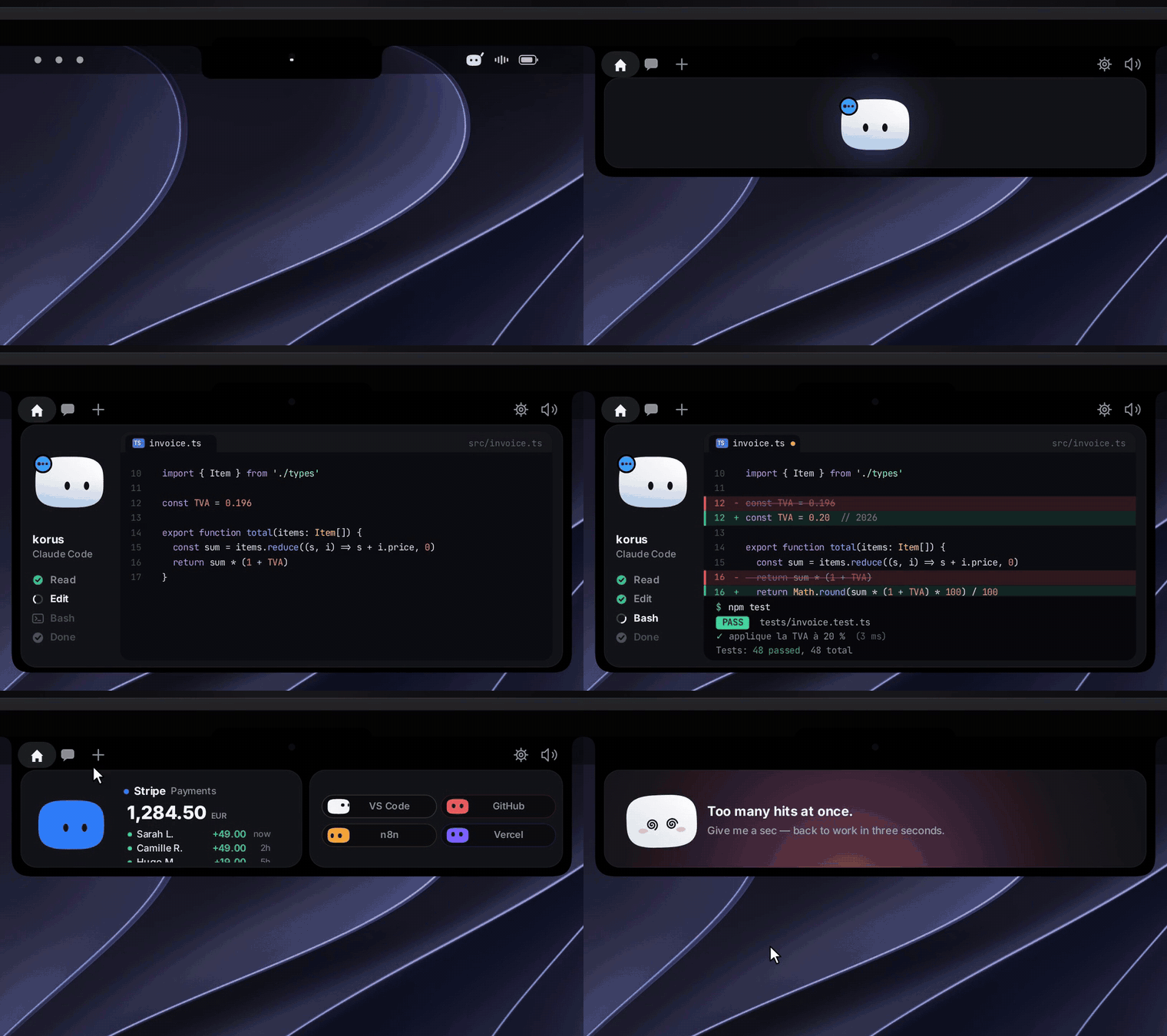
Now on iPhone
Step away from your Mac and Mochi follows you. The iPhone app goes as far into the Apple ecosystem as a dev tool can:
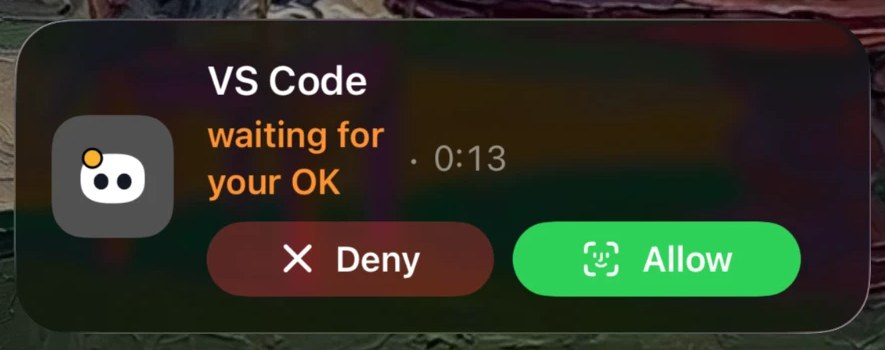
- Live Activity and Dynamic Island: lock your Mac while an agent works and Mochi moves to your Lock Screen. Allow or Deny a permission right from there.
- Notifications you can act on: Allow, Deny, pick an answer to Claude’s question, or reply to a finished agent.
- Face ID on every Allow: nothing runs on your Mac without your explicit tap.
- Talk to your agents: follow each session live, read the diffs, send the next instruction by text or voice.
- Widgets, Control Center, Siri, Shortcuts, Spotlight and Focus filters.
- Your services up close: GitHub, Vercel, Stripe, Cal.com, n8n, Notion and Resend, with safe actions like re-running CI or redeploying.
- Through your own iCloud: no Coucou server sees your projects, commands or keys.
Private by design. No account, no analytics, no tracking. Your keys stay in your Keychain, Windows Credential Manager or the Linux Secret Service. Read the privacy policy.